 Pomoji
Aim at a target
Tell Pomoji what you are working towards and how many sessions you want today. Your plan is ready in under a minute.
Pomodoro timer for iPhone
Pomoji turns the Pomodoro Technique into a ritual you actually keep. Pick a target, focus in short sessions, and let Pomo the owl guard the clock, the alarm and your streak.

How it works
The Pomodoro Technique is simple. Sticking to it is the hard part. Pomo makes every step feel like progress.
Tell Pomoji what you are working towards and how many sessions you want today. Your plan is ready in under a minute.
Start a session and put the phone down. The countdown lives on your Lock Screen and Pomo keeps working next to you.
When the alarm rings, take a real break. After four sessions, a longer one. Your streak grows one session at a time.
Features
Everything you need to protect your attention. Nothing that competes for it.
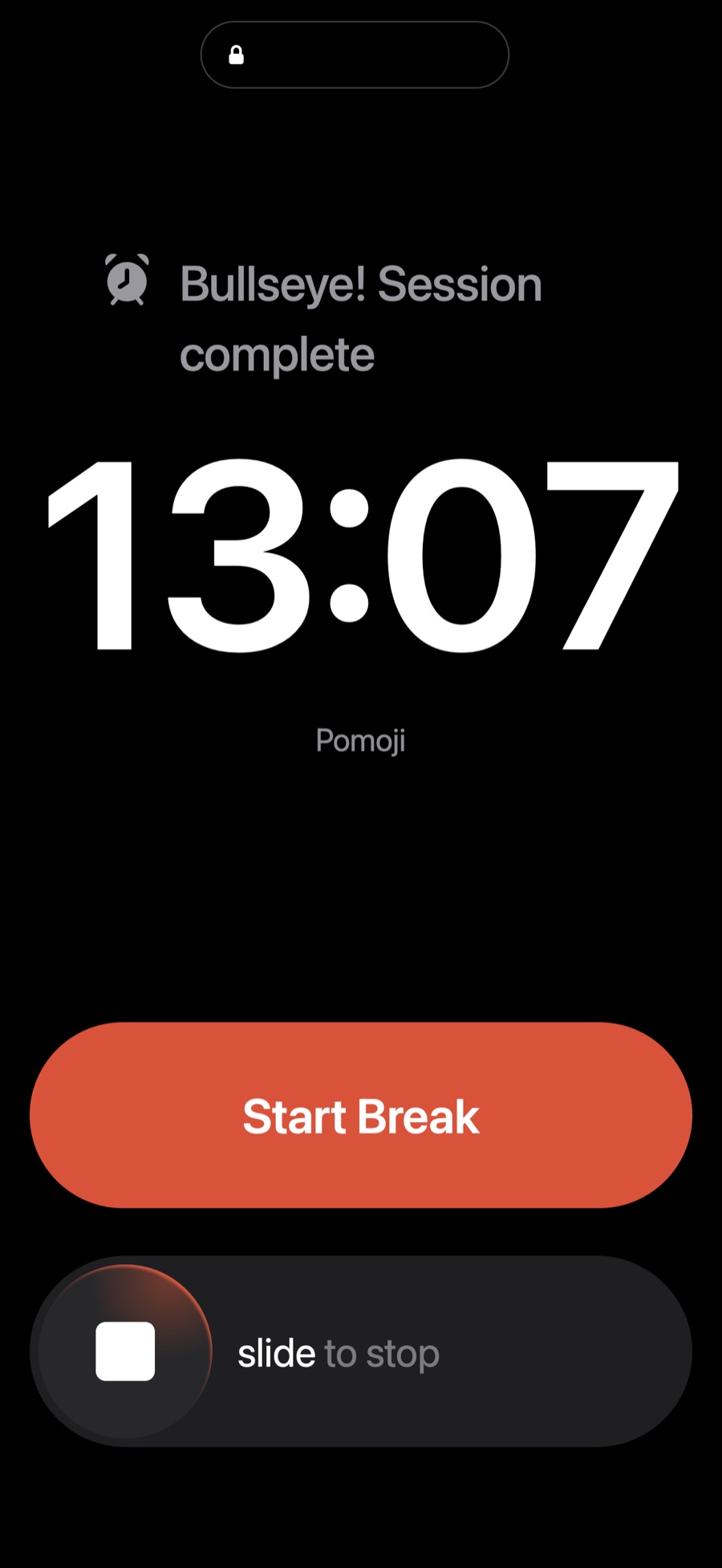
When a session ends, Pomoji rings like a real alarm, full screen on the Lock Screen and through Silent mode. Start your break straight from the alarm.
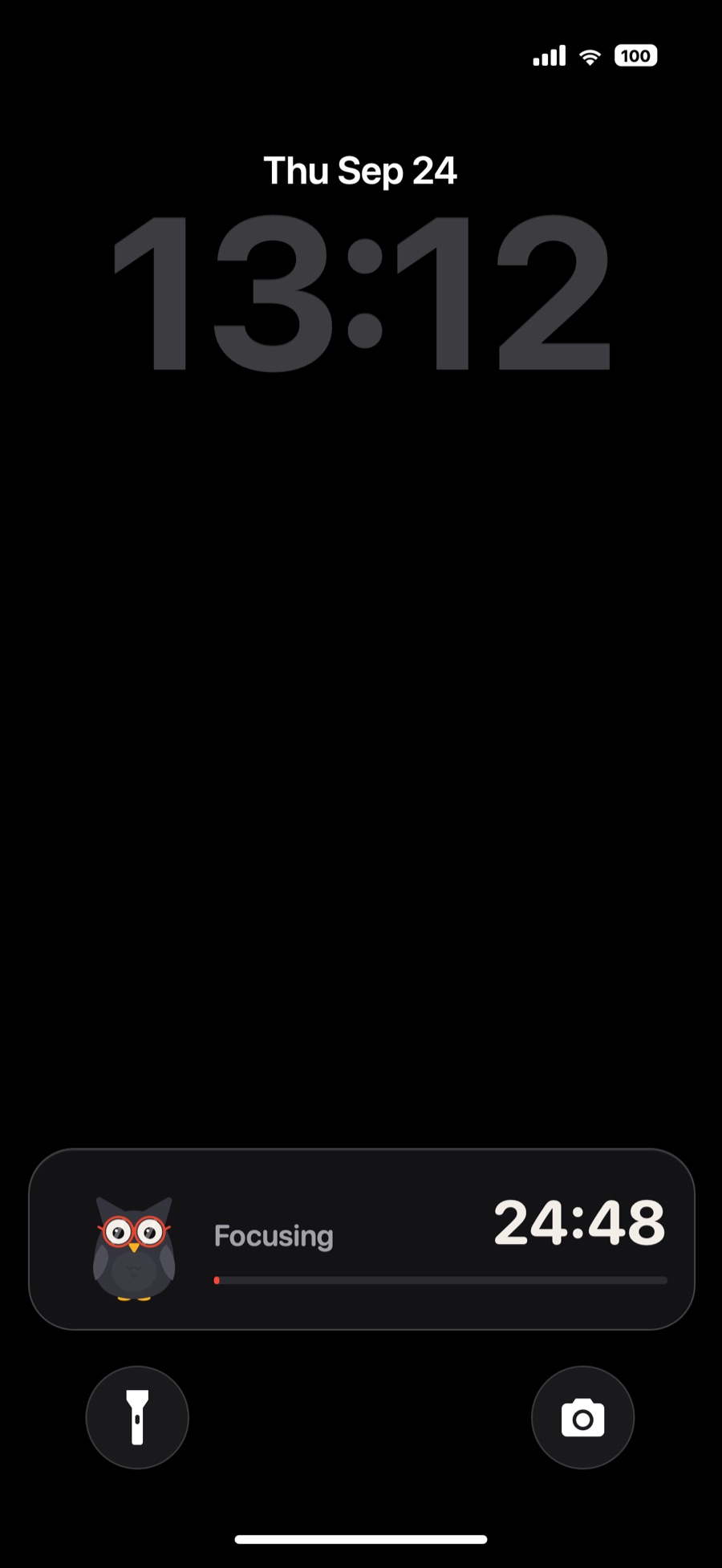
A live countdown with Pomo on the Lock Screen and in the Dynamic Island, so you never have to open the app to check the time.
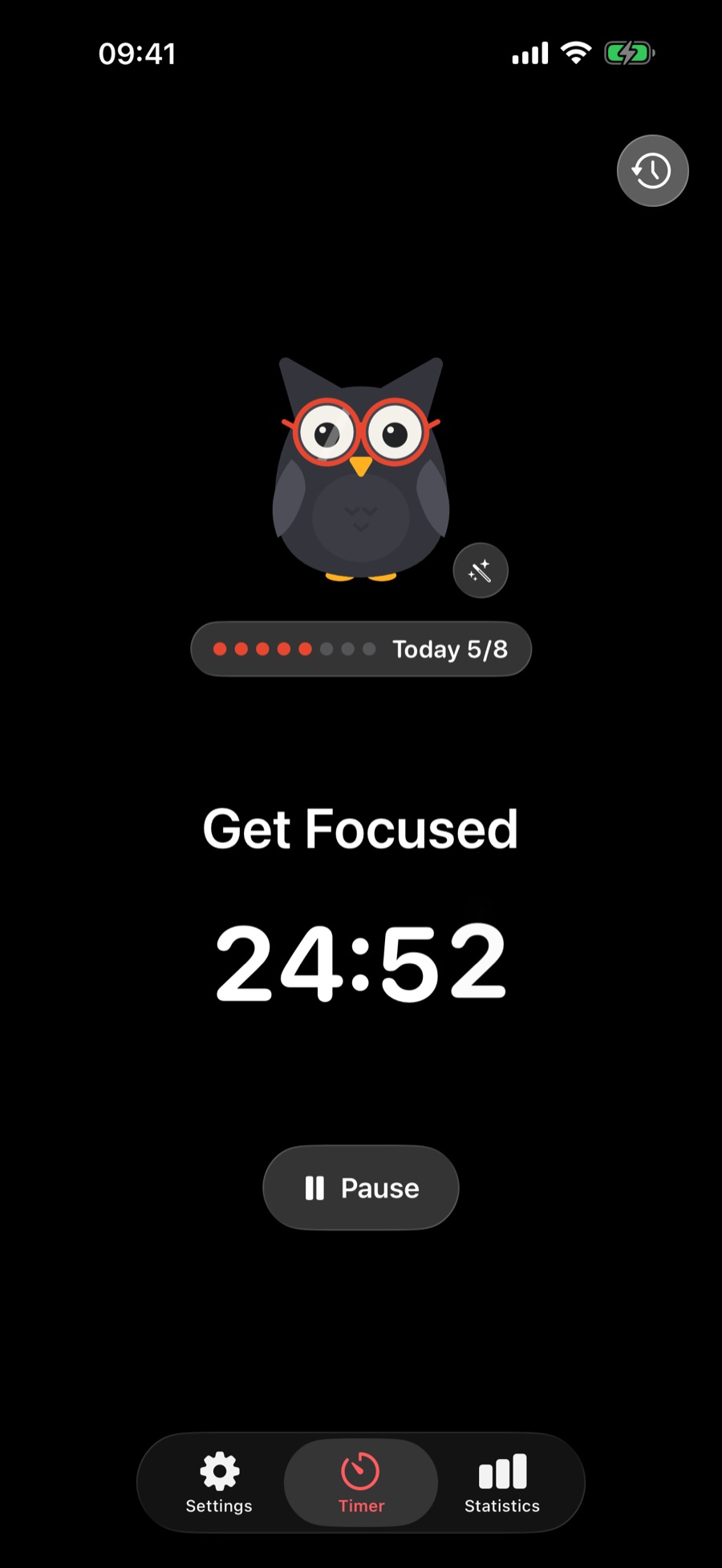
Pick how many sessions you want each day and watch the dots fill in. Hit your goal and Pomo celebrates with you.
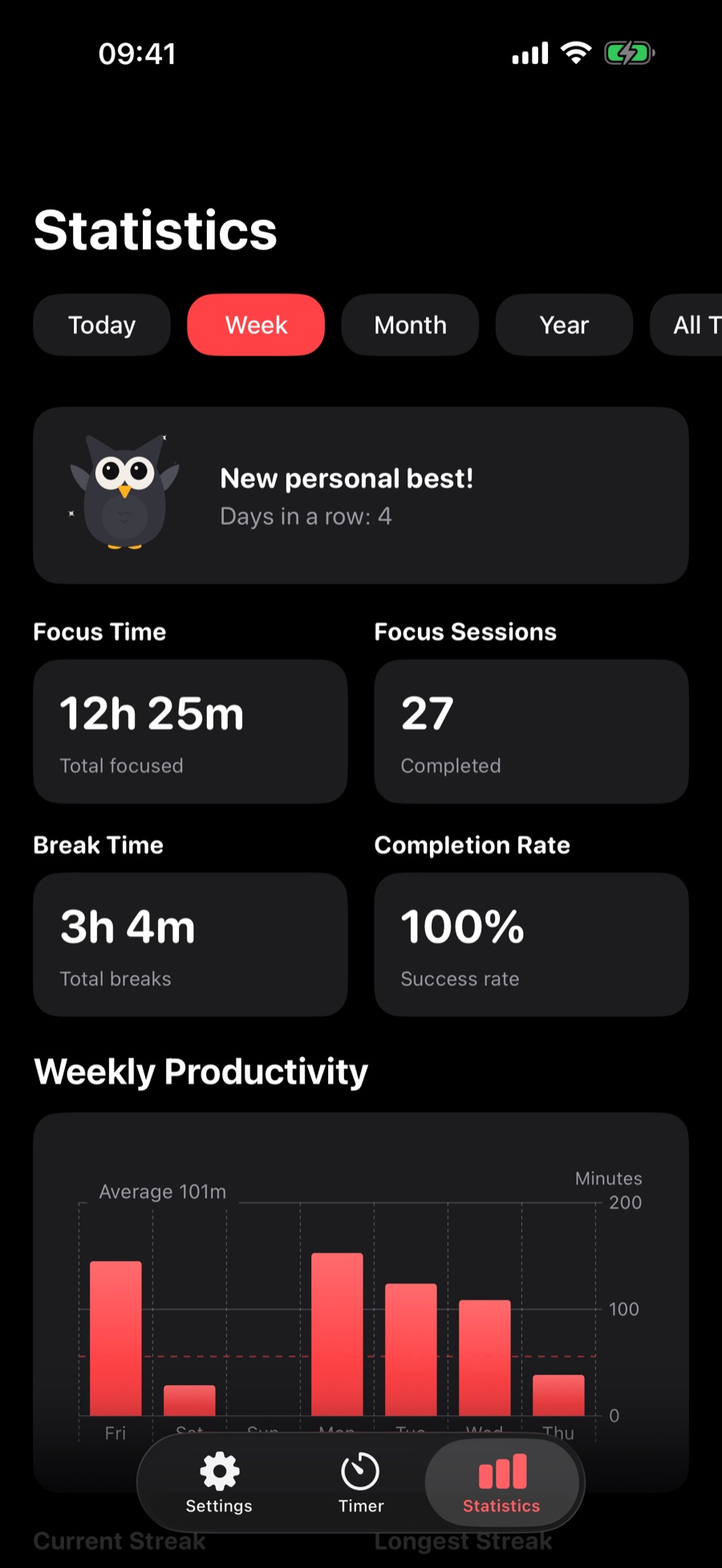
Hourly, weekly and monthly heatmaps, streaks and completion rate show when you focus best.
Set your own focus and break lengths and pick the sound that tells you a session is done.
No account, no ads, no tracking. Pomoji works offline and keeps your history on your iPhone, with optional iCloud Sync on Pro.
Pomoji is available in 19 languages, from Turkish and German to Japanese and Arabic.
Pomoji looks at home in light and dark mode, and so does Pomo.
Meet Pomo's companions
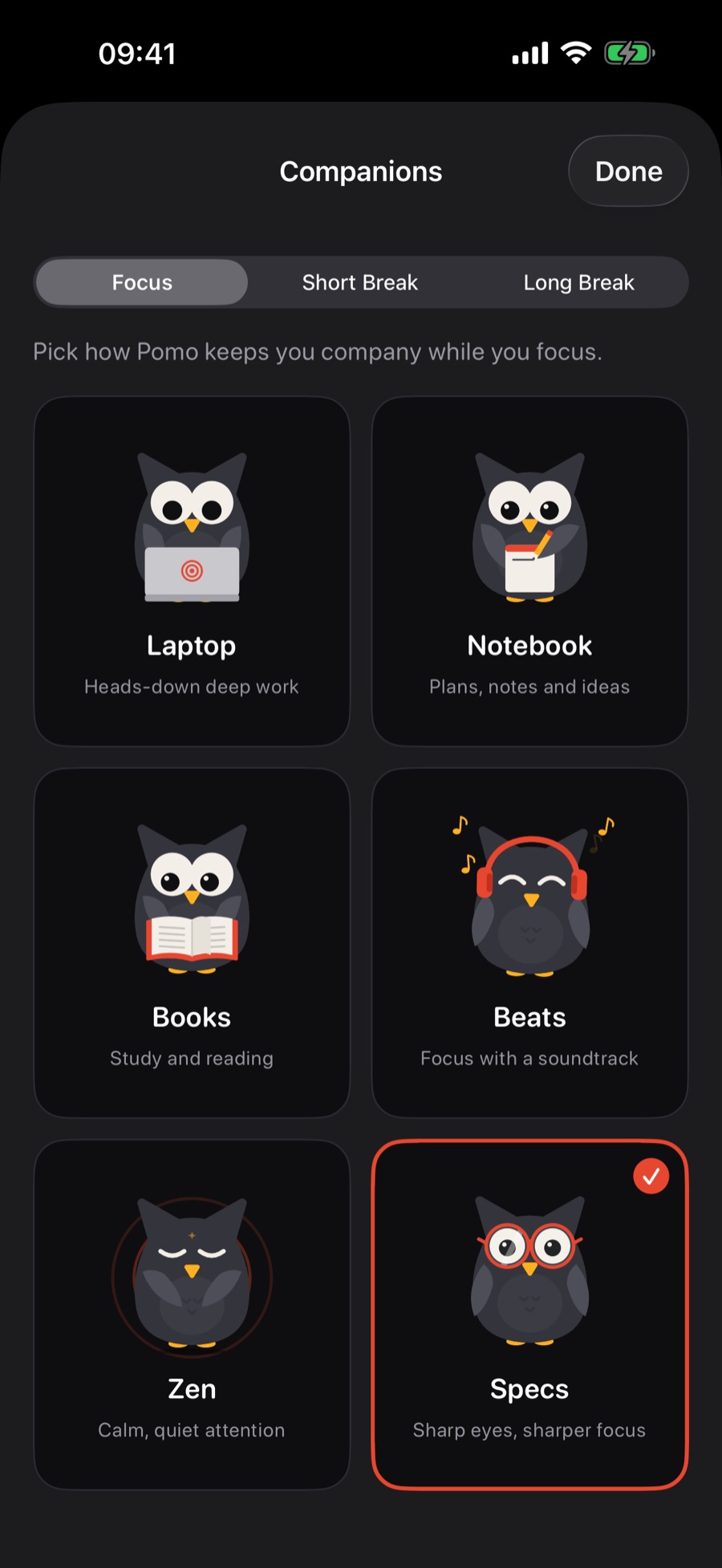
Choose what Pomo does while you focus, on a short break and on a long break. Twelve hand-drawn animations, and more on the way.
Heads-down deep work
Plans, notes and ideas
Study and reading
Focus with a soundtrack
Calm, quiet attention
Sharp eyes, sharper focus
A warm sip and a breath
Loosen up those wings
A juicy pomodoro bite
A cozy power nap
Look up, let your mind wander
A quick round, guilt-free
Inside the app
Guides
Where it comes from, why 25 minutes works, and how to adapt it to your brain.
Read the guide → Choosing a toolLock Screen, alarms, stats and privacy: the features that actually matter.
Read the guide → StudyingNine practical habits for longer, calmer study sessions, backed by the Pomodoro rhythm.
Read the guide →FAQ
Yes. Pomoji is a free download with the full Pomodoro timer, Lock Screen alarms, the daily goal and the free companions. Pomoji Pro is an optional subscription that adds detailed stats and heatmaps, custom session lengths and sounds, iCloud Sync, and the Pro companions.
It is a time-management method where you work in focused sessions, classically 25 minutes, separated by 5-minute breaks, with a longer break after every four sessions. Pomoji runs that rhythm for you and keeps count.
Yes. Pomoji tracks real time, shows a live countdown on the Lock Screen and in the Dynamic Island, and alerts you when the session ends even if the app is closed.
If you allow alarms, Pomoji uses Apple's AlarmKit so the end of a session rings like a real alarm, full screen on the Lock Screen, even in Silent mode or a Focus. From the alarm you can start your break or your next focus session in one tap.
No. There is no sign-up and no login. Your sessions, streaks and settings stay on your iPhone. With Pomoji Pro you can turn on iCloud Sync to keep them in your own iCloud account across your devices.
No. Pomoji has no ads and no third-party analytics or tracking SDKs. Read the Privacy Policy for the details.
Pomoji is made for iPhone and needs iOS 26 or later.
Yes. The classic 25/5/15 rhythm is the default, and Pomoji Pro lets you set your own focus, short break and long break lengths.
Your first session is 25 minutes away.